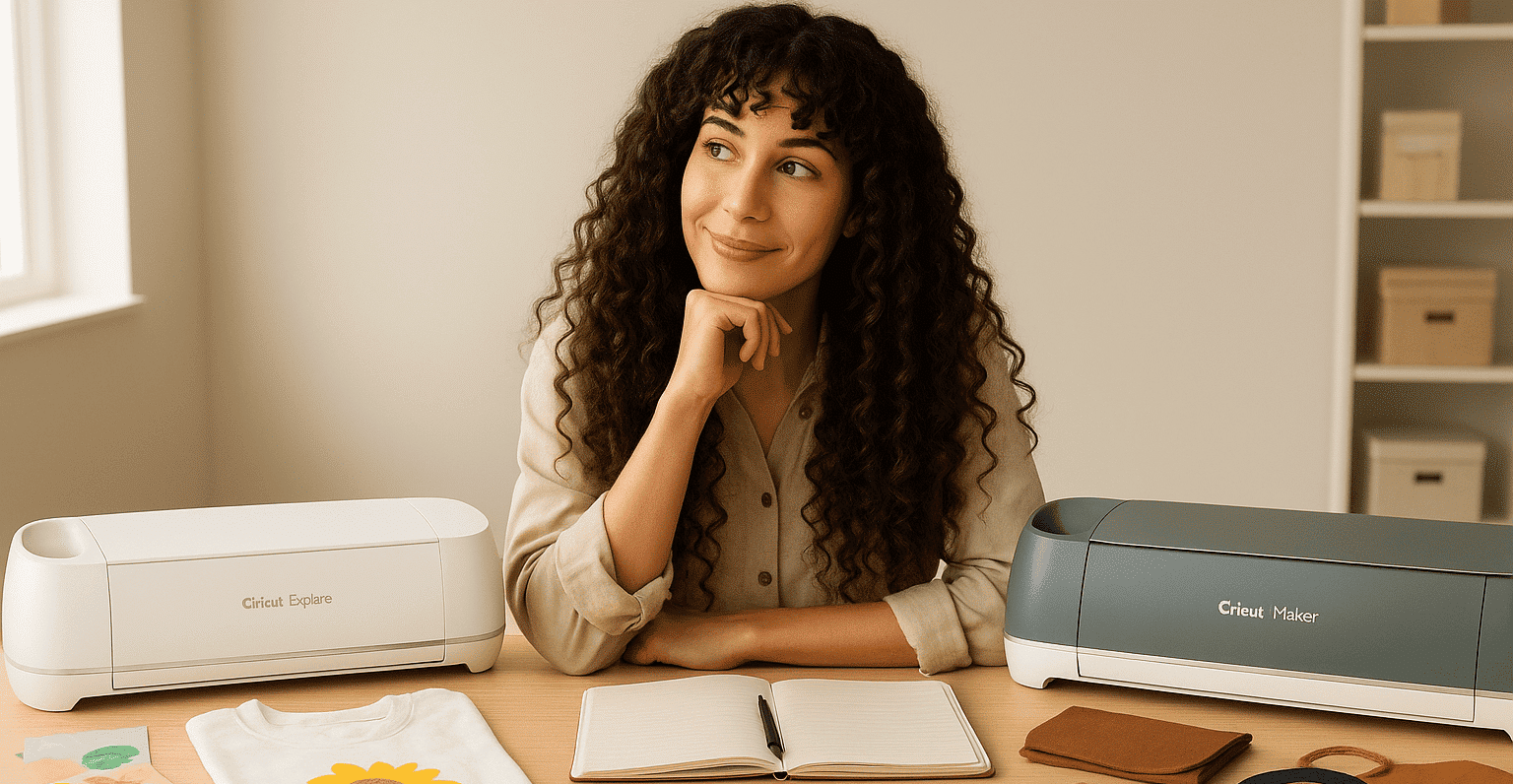
Qual è la differenza tra una Cricut Explore e una Cricut Maker? Evviva! Finalmente puoi investire in una Cricut
🎉
. Il cuore ti batte un po’ più forte, la testa trabocca di idee creative e ogni progetto che immagini sembra finalmente a portata di mano. Ma ecco che… resta una domanda: qual è la differenza tra una Cricut Explore e una Cricut Maker?
🤔
A prima vista può sembrare una decisione semplice. Eppure… scegliere la macchina giusta può davvero cambiare il tuo modo di creare e la portata dei tuoi progetti. Quindi non prendere questa domanda alla leggera!
video generato da bonega.ai
È un dilemma che affrontano in tanti, creatori e creatrici, prima di iniziare. Le due macchine sono incredibili, ognuna con i suoi punti di forza e le sue caratteristiche, ma non aprono esattamente le stesse porte creative. Una è perfetta per iniziare e buttarsi subito nella personalizzazione di biglietti, t-shirt o tazze. L’altra, invece, offre la potenza e la precisione necessarie per progetti più ambiziosi e professionali.
Allora, come capire qual è quella davvero adatta a te? Come avere la certezza che la tua scelta ti permetterà di dare libero sfogo alla creatività senza frustrazioni né limiti? Ma soprattutto: qual è la differenza tra una Cricut Explore e una Cricut Maker?
Quindi resta con me: ti propongo un confronto chiaro, semplice e ricco di ispirazione, per aiutarti a fare la tua scelta senza rimpianti
✂️
✨
. Alla fine di questo articolo saprai esattamente quale macchina si adatta al tuo modo di creare e ai tuoi progetti, e potrai FINALMENTE lanciarti con fiducia. Promesso, ne uscirai con le idee molto più chiare e tanta motivazione!
Allora, scopriamo insieme qual è la differenza tra una Cricut Explore e una Cricut Maker!
1. Capire la Cricut
🖌️
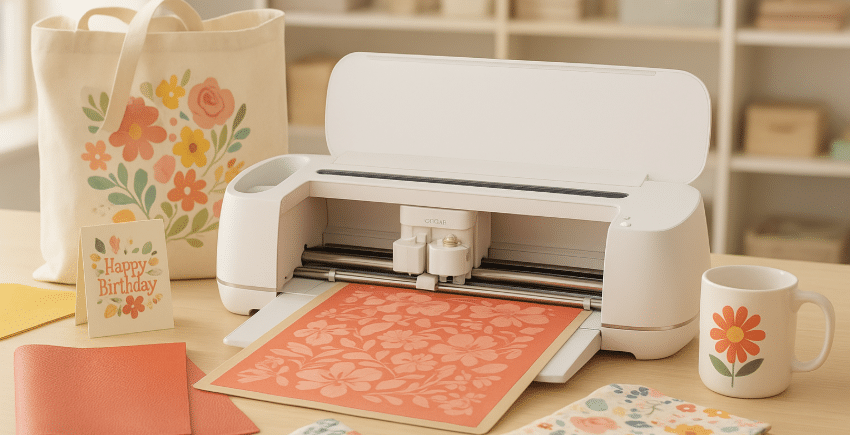
Prima di entrare nel dettaglio delle caratteristiche di ogni macchina e capire facilmente qual è la differenza tra una Cricut Explore e una Cricut Maker, prendiamoci un momento per chiarire che cos’è davvero una Cricut.
Si tratta di un plotter da taglio intelligente che diventa presto un alleato irrinunciabile per chiunque ami creare. La Cricut è senza dubbio il marchio più conosciuto del settore, famoso per la sua precisione e la sua facilità d’uso
✨
. Ma devi sapere che non è l’unica opzione: macchine come la Silhouette Caméo 5 offrono anche loro belle possibilità per esplorare la tua creatività a prezzi competitivi! (A proposito, dimmi se ti piacerebbe un confronto Cricut / Caméo).
In pratica, la Cricut è un po’ l’iPhone dei plotter da taglio: design curato, prestazioni al top e una community enorme che ti ispira ogni giorno.
Con la Cricut puoi tagliare con precisione tantissimi materiali: carta, vinile, tessuto, pelle, legno sottile, vinile termoadesivo… e molto altro ancora. Il risultato? Oggetti personalizzati unici, decorazioni fuori dal comune e persino la possibilità di avviare il tuo business creativo. Con lei, le tue idee non hanno più limiti!
Tuttavia, ogni macchina ha funzioni tutte sue. La Cricut Explore ha meno funzionalità della Cricut Maker: per esempio, non può tagliare materiali spessi come il legno di balsa o la pelle spessa. Resta comunque perfetta per i progetti di base e per le creazioni in carta, vinile o vinile termoadesivo, mentre la Cricut Maker è pensata soprattutto per chi vuole spingersi oltre nella varietà di materiali e tecniche.
Allora, dimmi… inizi a vedere meglio la differenza tra un modello e l’altro?
😉
Ma aspetta, non andare via subito, perché il bello deve ancora venire: ti mostrerò esattamente qual è la differenza tra una Cricut Explore e una Cricut Maker e come scegliere LA Cricut davvero adatta al tuo mondo creativo
✂️
.
2. Cricut Explore: la complice ideale per iniziare
🎉
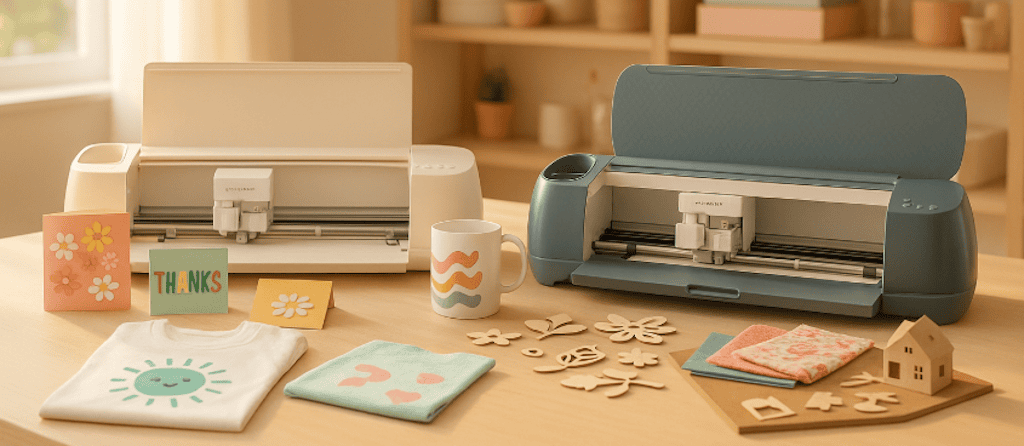
Per capire qual è la differenza tra una Cricut Explore e una Cricut Maker, bisogna prima vedere cosa ha da offrirci ciascuna macchina.
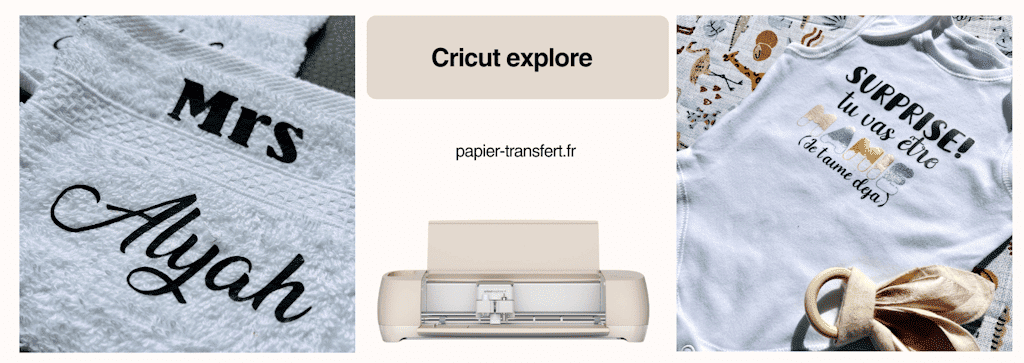
La Cricut Explore è spesso il primo passo nel mondo Cricut (quando si vuole un modello grande)
✨
. Accessibile, versatile e facile da imparare a usare, è pensata per chi vuole creare senza perdersi in mille impostazioni complicate, ma senza per questo avere limiti nelle dimensioni di taglio.
Con lei puoi tagliare oltre 100 materiali diversi (e già questo è ENORME): vinile per creare adesivi, cartoncino per realizzare biglietti splendidi, vinile termoadesivo per tessuti per avere la felpa più personalizzata che ci sia, cartone sottile per gli album fotografici… Insomma, tutto quello che serve per personalizzare tazze, t-shirt, biglietti di compleanno, adesivi o decorazioni per le feste.
💡
Vuoi creare una serie di tote bag personalizzate da regalare alle persone care o per il tuo piccolo business? La Cricut Explore ti permette di tagliare il motivo nel vinile termoadesivo in pochi minuti e poi di pressarlo sul tessuto. Il risultato? Un regalo unico che fa colpo, senza stress né complicazioni.
👉
In parole più semplici, con la Cricut Explore hai:
-
Un prezzo più accessibile
-
Un utilizzo semplice e intuitivo
-
Una macchina perfetta per iniziare e realizzare progetti creativi di ogni tipo
✨
È la macchina che ti accompagna verso le tue prime grandi soddisfazioni creative
🏆
.
3. Cricut Maker: la macchina per creativi appassionati
💎
Se la Cricut Explore è un’ottima complice per cominciare, la Cricut Maker è senza dubbio la macchina di chi vuole spingersi ancora più in là
🚀
.
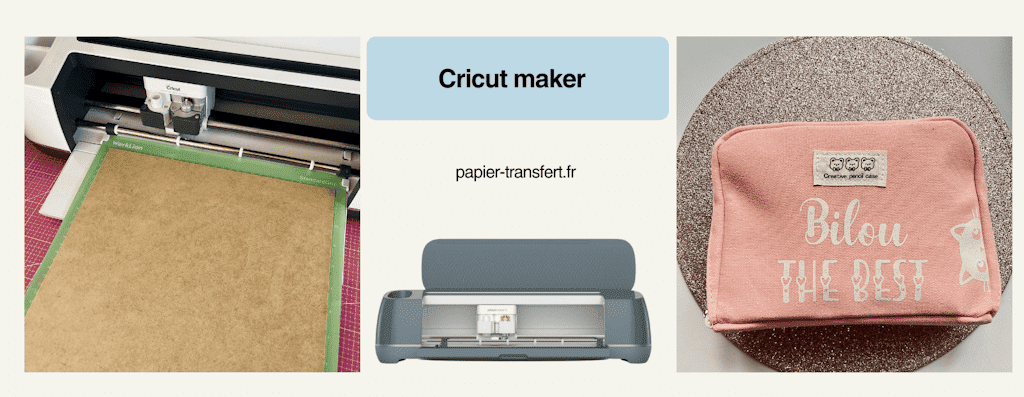
La Cricut Maker non si limita a tagliare: apre un vero parco giochi creativo senza limiti. Grazie alla sua potenza di taglio e alla sua impressionante gamma di strumenti, può lavorare oltre 300 materiali
✂️
: pelle, tessuto spesso, legno sottile, feltro, cartone rigido e tanti altri ancora (non dimenticare di usare il tappetino da taglio adatto! E se vuoi il kit completo di tappetini per iniziare bene, lo trovi qui: Tappetino da taglio Cricut).
💡
Sogni di cucire e personalizzare un astuccio o di creare un acchiappasogni in feltro senza passare ore a ritagliare ogni pezzo a mano
✨
? La Cricut Maker lo fa per te, con una precisione chirurgica (sì, sì, è davvero precisissima in tutti i tagli!). Vuoi incidere il metallo o tagliare legno sottile (di balsa, per la precisione, non confonderti!) per realizzare un cartello personalizzato? Anche in questo caso è ASSOLUTAMENTE POSSIBILE!
👉In breve, la Cricut Maker ti offre:
-
Una versatilità massima con materiali di ogni tipo
-
Strumenti esclusivi (come la lama rotante per tessuti o la lama a coltello per i materiali spessi)
-
La libertà di dare vita a progetti ambiziosi, persino professionali
La Cricut Maker è la macchina che asseconda la tua immaginazione senza mai dirti basta. Potrai spingerti lontano quanto ti permetterà il tuo spirito creativo!
4. Qual è la differenza tra una Cricut Explore e una Cricut Maker? La sfida
🔥
Sei ancora indecisa? Niente panico, non sei l’unica! Scegliere tra la Cricut Explore e la Cricut Maker può sembrare complicato a prima vista, soprattutto quando si conoscono tutte le possibilità creative che offrono
✨
.
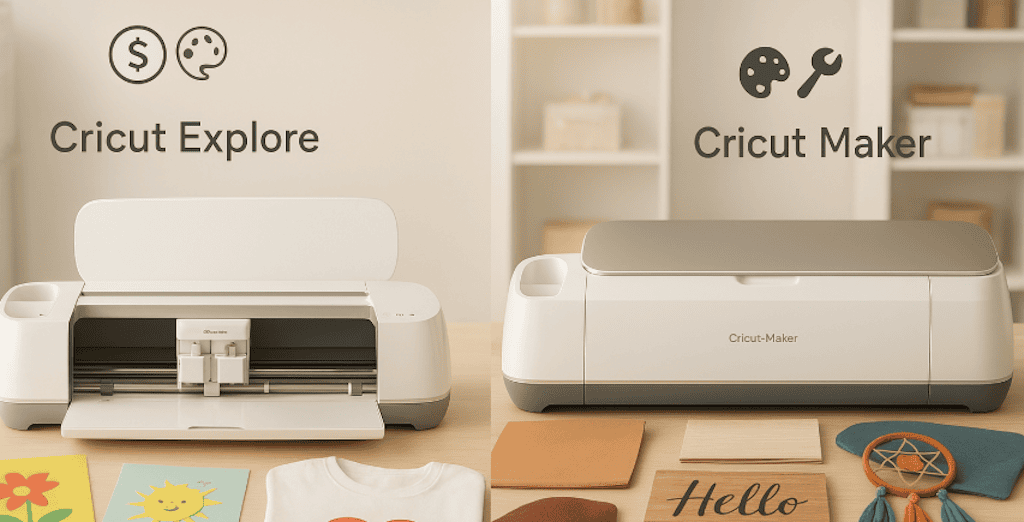
Per aiutarti a vederci chiaro e a decidere con sicurezza, ho preparato una tabella dettagliata che mette in evidenza la differenza tra una Cricut Explore e una Cricut Maker, i loro vantaggi e gli usi ideali di ciascuna. Grazie a questa tabella, saprai esattamente quale macchina si adatta meglio al tuo stile, al tuo livello e ai tuoi progetti creativi.
| Criteri ⚖️
🎉
💎
| | --- | --- | --- | | Materiali compatibili | Più di 100 (carta, vinile, vinile termoadesivo, cartone sottile) | Più di 300 (tra cui pelle, tessuto spesso, legno sottile, feltro, metallo sottile) | | Strumenti disponibili | Lama standard + penna | Lama rotante, lama a coltello, strumenti per incisione e altro | | Precisione | Molto buona | Ultra precisa, anche su materiali spessi | | Utilizzo | Semplice, ideale per iniziare | Più tecnica, pensata per progetti avanzati | | Budget | Più accessibile | Investimento più elevato | | Per chi? | Principianti e creativi occasionali | Appassionati e professionisti della personalizzazione |
👉
Per riassumere:
-
La Cricut Explore è ideale per iniziare o per progetti vari, senza spingersi troppo in là con i materiali complessi.
-
La Cricut Maker, invece, è il modello più potente, pensato per chi vuole superare ogni limite della creazione e della propria immaginazione.
5. Come scegliere la Cricut giusta per te?
🤔
✨
Arriviamo a un punto fondamentale. Ora che sai qual è la differenza tra una Cricut Explore e una Cricut Maker, passiamo a TE. Sì, sì, vediamo cosa fa più al caso TUO!
Hai davanti due macchine incredibili. Ma come capire quale sia davvero adatta al TUO mondo creativo? Ecco qualche spunto semplice per aiutarti a decidere senza rimpianti.
💡
Fatti queste domande:
-
Qual è il tuo budget attuale?
-
Vuoi creare soprattutto biglietti, t-shirt e piccole decorazioni?
-
Oppure vuoi provare progetti più ambiziosi con pelle, foil, tessuto o legno?
-
Userai la macchina ogni tanto o pensi di farne un vero strumento per il tuo business creativo?
👉
Se la tua risposta è più o meno questa:
- «Voglio iniziare senza spendere troppo e creare progetti vari per il piacere di farlo» → La Cricut Explore è la tua alleata.
Oppure, se rispondi piuttosto:
- «Voglio esplorare tutti i materiali, superare i limiti e avere una macchina che mi accompagni a lungo» → La Cricut Maker è fatta per te.
⚡
Piccolo consiglio: la Cricut giusta non è per forza la più cara, ma quella che si adatta al TUO ritmo, al TUO budget e ai TUOI sogni creativi
✂️
! Puoi tranquillamente avere la più piccola delle Cricut e trovarti benissimo! Oppure avere la più performante e non usare nemmeno la metà delle sue funzioni.
✨
6. Allora dimmi, quale Cricut fa per te?
✨
Scegliere tra la Cricut Explore e la Cricut Maker non è solo una questione di budget o di funzionalità… è soprattutto una questione di libertà creativa
🎨
.
-
La Cricut Explore è perfetta per iniziare: semplice, versatile e ideale per creare con facilità tantissimi progetti diversi
🎉
.
-
La Cricut Maker ti permette di superare ogni limite: taglio professionale, materiali più vari e, soprattutto, la possibilità di trasformare ogni idea in un capolavoro creativo
💎
.
Allora, qualunque macchina tu scelga, ricordati: la Cricut migliore è quella che libera la tua immaginazione e ti emoziona a ogni progetto
✂️
.
💡
Consiglio bonus: se sei ancora indecisa, inizia con la Cricut Explore per scoprire rapidamente il mondo Cricut.
E quando il tuo universo creativo crescerà, passa alla Cricut Maker per ampliare ancora di più le tue possibilità
🚀
.
Per essere certa che tu abbia capito bene la differenza tra una Cricut Explore e una Cricut Maker, ecco una FAQ (domande frequenti) che ti aiuterà a fare la tua scelta definitiva!
FAQ: Cricut Explore vs Cricut Maker
❓
**1️⃣
Quale macchina è più adatta a chi è alle prime armi?**
- La Cricut Explore è ideale per iniziare: semplice, intuitiva e versatile per i progetti di base. Offre però meno funzioni avanzate rispetto alla Cricut Maker, e questo può diventare presto un limite se vuoi esplorare materiali più complessi o tagli più tecnici.
2️⃣
Si possono creare oggetti professionali con la Cricut Explore?
- Sì, ma avrai dei limiti con alcuni materiali spessi o tecnici. Per creazioni più ambiziose è preferibile la Maker.
3️⃣
La Maker è difficile da usare per chi non ha esperienza?
- No, resta accessibile, ma offre più opzioni e strumenti: per questo può servire un po’ più di tempo per prenderci la mano.
4️⃣
Qual è il prezzo medio di ciascuna macchina?
-
Explore: più accessibile (spesso intorno ai 250-300 € a seconda del modello).
-
Maker: investimento più impegnativo (circa 400-500 €, a seconda degli accessori inclusi e/o del pack).
5️⃣
Si può passare facilmente dalla Explore alla Maker?
- Certo! Progetti e file restano compatibili, quindi non dovrai ricominciare da zero. Se hai salvato tutti i tuoi progetti nell’app, non ti resterà che riaprirli!
6️⃣
Quali tipi di progetti si possono fare solo con la Maker?
- Taglio di pelle spessa e legno sottile, incisione sul metallo, tessuto spesso con la lama rotante… e tutti i progetti che richiedono più precisione o potenza.
✨
Sapevi che esistono altre macchine Cricut? Ogni modello ha le sue caratteristiche e si adatta a diversi livelli di creatività. Per aiutarti a vederci più chiaro, ho preparato un confronto completo di tutte le macchine Cricut, con i loro vantaggi e gli usi ideali.
👉
Trovalo qui e scopri quella che si adatta meglio ai tuoi progetti creativi!
Hai voglia di dare vita alle tue creazioni più belle?
🎨
✂️
Scopri subito la nostra selezione di vinili adesivi compatibili con Cricut e lanciati in progetti unici che faranno brillare la tua immaginazione
✨
.
[👉
Scelgo i miei vinili](/heat-transfer-vinyl)

Commenti
Ancora nessun commento. Scrivi il primo e racconta la tua esperienza.
Lascia un commento