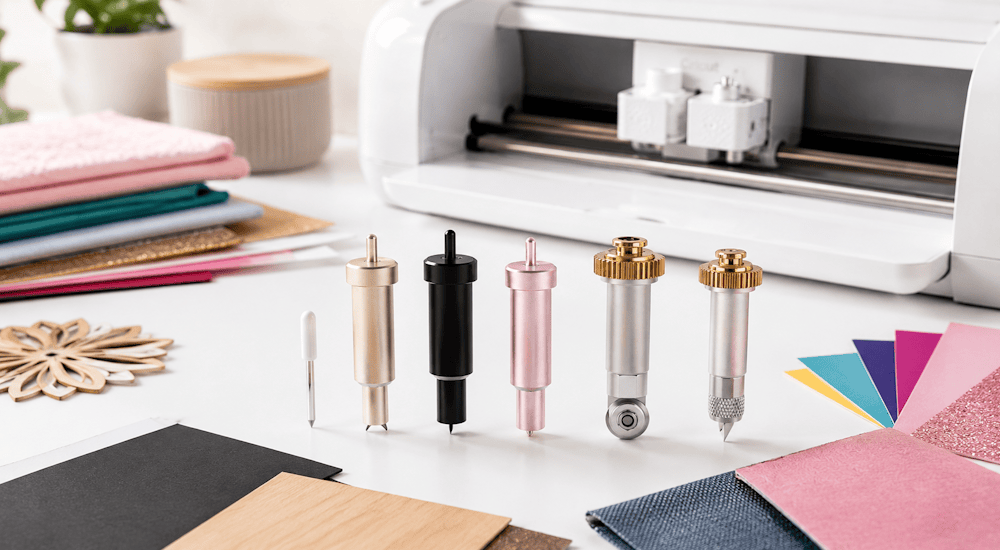
With so many different Cricut blades out there, it can be hard to remember which ones you need and what materials they cut 🤔. On top of that, it's important to know how to change your blades and choose the best one for each of your projects. It's an essential skill to learn, whether you're a beginner or an experienced crafter!
The different Cricut blades are designed for different projects and work with different machines, which can seem pretty complicated for a beginner. But don't worry, we'll explain everything.
All the Cricut Blades and What They Do
There are several Cricut machine models: the Cricut Joy, which is simple and compact, the Cricut Explore models, which are versatile, and the Cricut Maker, which is packed with features 👍. We'll walk you through the types of Cricut blades that come with each kind of machine:
Each Cricut machine blade has its own features and can cut different materials. If you don't use the right blade, you could damage your materials and the blade itself.
It's important to learn the differences between Cricut blades so you know whether you need a specific blade before buying materials or, even more importantly, before buying a Cricut machine (because not all blades work with all machines 🤷).
The Fine-Point Blade
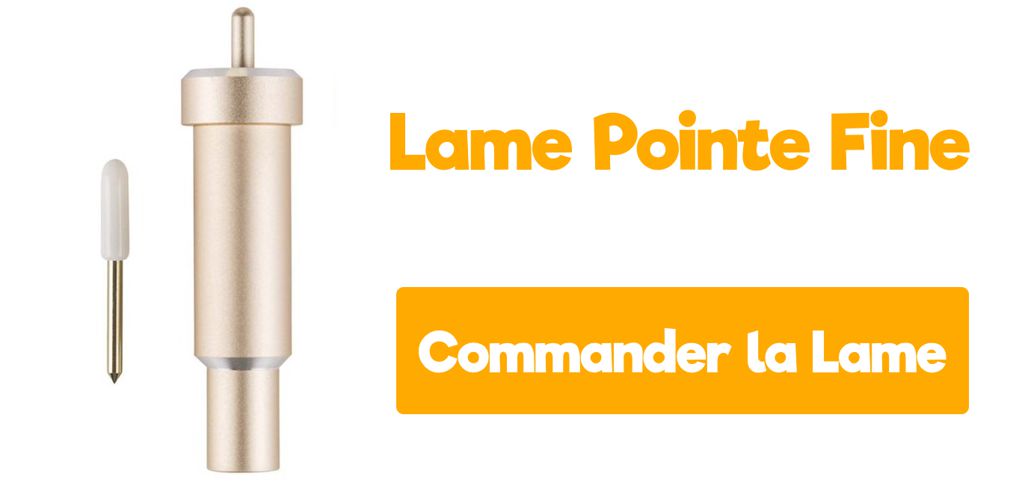
The Cricut Fine-Point Blade is the most common blade, and it comes with every Cricut machine. It's made of carbide, an extremely durable, high-quality material that's typically used for cutting tools.
This blade is perfect for intricate cuts and is designed to cut medium-weight materials. It used to be silver, but it now comes in gold. ⭐
It works with all the machines in the Cricut Explore and Cricut Maker families.
What materials can I cut with the fine-point blade?
- Printer paper
- Adhesive Vinyl: Matte Vinyl, Glossy Vinyl, Glitter Vinyl
- Heat Transfer Vinyl: Standard HTV, Glitter HTV, Velvet HTV, Holographic HTV...
- Cardstock
- Parchment paper
- Vellum
- Canvas
- Light chipboard
The Cricut Deep-Point Blade
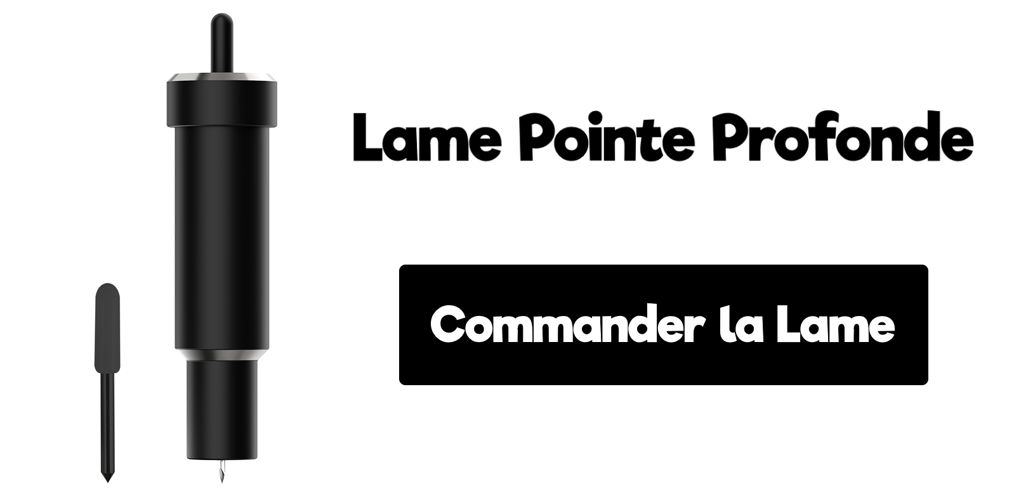
If you need to cut thicker materials, the Cricut deep-point blade will be your best friend 👫. You can use it with all the machines in the Cricut Explore and Cricut Maker families!
This cutting blade has a much steeper angle, which lets it dig in and make intricate cuts in thick materials.
It's black, and it has to be used with its own dedicated housing.
What materials can I cut with the deep-point blade?
- Craft foam
- Aluminum sheet
- Genuine leather
- Metallic leather
- Magnetic sheet, 0.6 mm
- Corrugated paper
The Bonded-Fabric Blade
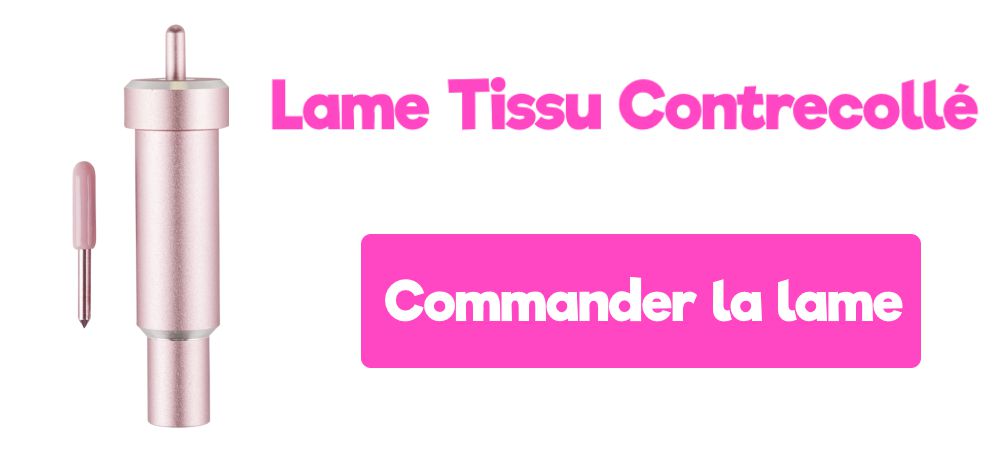
The Cricut bonded-fabric blade looks like the fine-point blade, but it's pink, so you can tell them apart. It gives you a better cutting experience with fabric. Don't use this blade on paper or vinyl.
Keep in mind that any fabric you cut with this blade needs to be bonded to a backing material.
If you don't bond your fabric properly, you could tear or stretch it, and you might also damage your cutting mat.
This blade is compatible with the machines in the Cricut Explore and Cricut Maker families. 😉
What materials can I cut with the bonded-fabric blade?
- Oilcloth
- Silk
- Polyester
- Denim
- Burlap
- Cotton
The Rotary Blade (Cricut Maker Only)
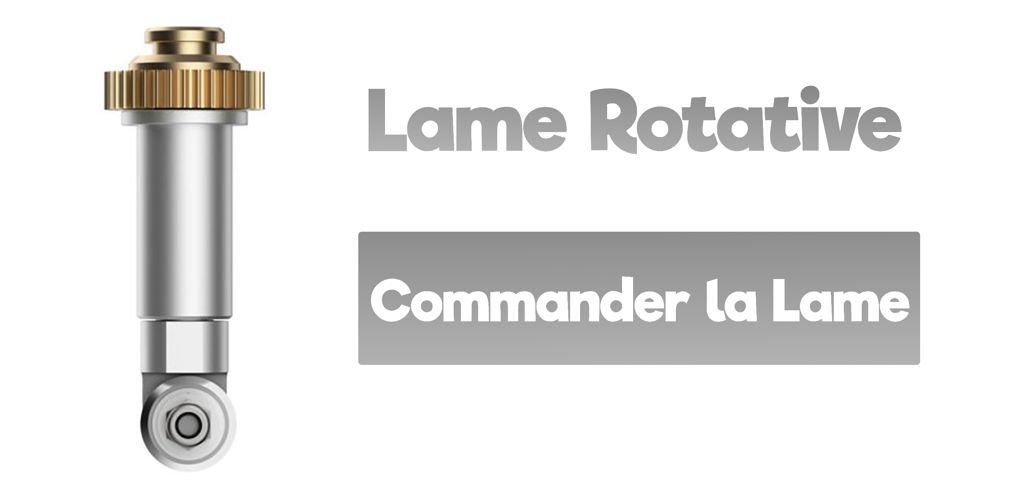
The Cricut rotary blade is fantastic, but it's only compatible with the Cricut Maker.
The rotary blade cuts just about any fabric, and you don't even need a backing material to stabilize the fabric on the mat. That alone should make you happy! 😀
This Cricut cutting machine blade also comes included with the Cricut Maker (which is a big deal, because you usually have to buy this kind of tool separately or in a bundle).
Powerful as this blade is, it does have one small limitation: the image or project you're cutting needs to be at least 19 mm. Cutting smaller designs will shorten the blade's lifespan.
What materials can I cut with the rotary blade?
- Bamboo fabric
- Canvas
- Cashmere
- Muslin
- Velvet
- Cotton
- Denim
- Felt
- Fleece
- Silk
- Lycra
- Microfiber
- Nylon
The Knife Blade (Cricut Maker Only)
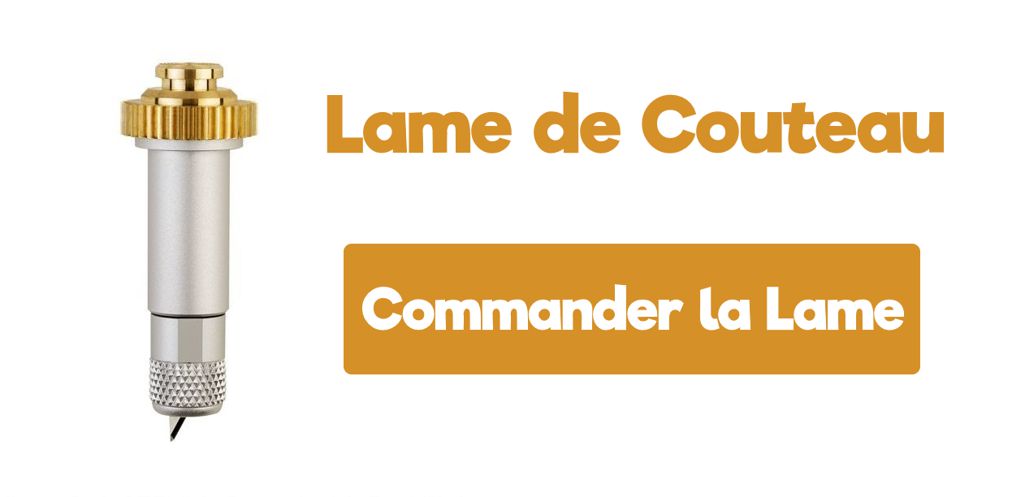
The Cricut knife blade is one of a kind, and it's only compatible with the Cricut Maker.
This blade is what makes the Cricut Maker an all-in-one crafting machine ✨. The projects you can cut with this blade are simply amazing. You can make wooden signs for your home, sturdy boxes, and so much more.
When you're working with materials like wood, they may not stick to the mat, so we recommend putting masking tape along the edges of the material to hold it in place on the mat.
The drive housing for this blade can't be used with other blades.
What materials can I cut with the knife blade?
- Tooling leather
- Balsa
- Basswood
- Heavy chipboard, 2.0 mm
- Matboard
The QuickSwap Blades
The latest line of Cricut tools is the QuickSwap Tools. These tools can only be used with the Cricut Maker. You only need one blade housing to use them, because each tip is interchangeable. So there's no need to buy a housing for every tip, unless you really want to.
Here are the different QuickSwap tips available:
- Embossing tip
- Engraving tip
- Wavy blade tip
- Scoring tip
- Perforation tip
If you only want one tip, you can buy the housing with the tip of your choice, and when you need another one later, you can just buy the new tip on its own.
This system is great because you can switch tips quickly and easily. Just press the button on top, remove the tip, pop in another one, and you're all set.
The Embossing Tip
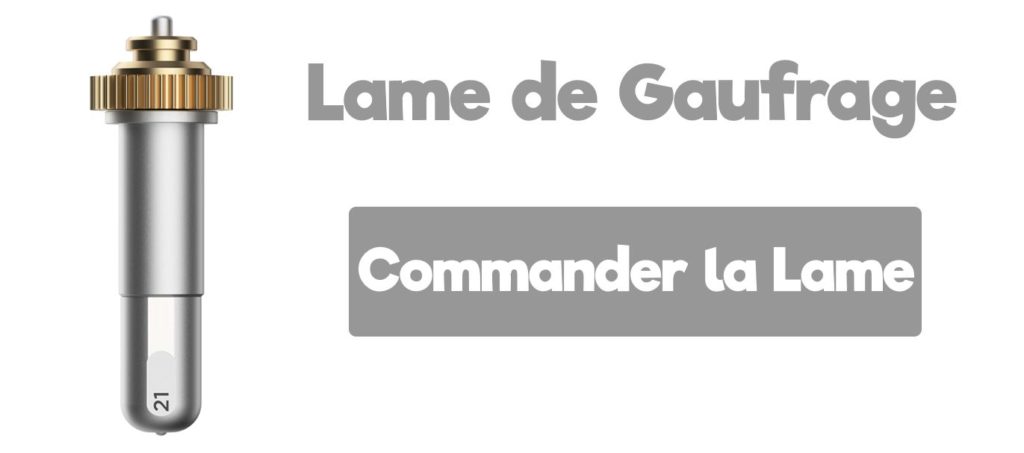
Use the Cricut embossing tip to add depth and character to your projects!
The embossing tip is designed to press into your material (like cardstock) and create a crisp, lasting impression. It does this with a tiny ball that glides over your material, creating a clean, even, crisp embossed line. 👌
The Engraving Tip
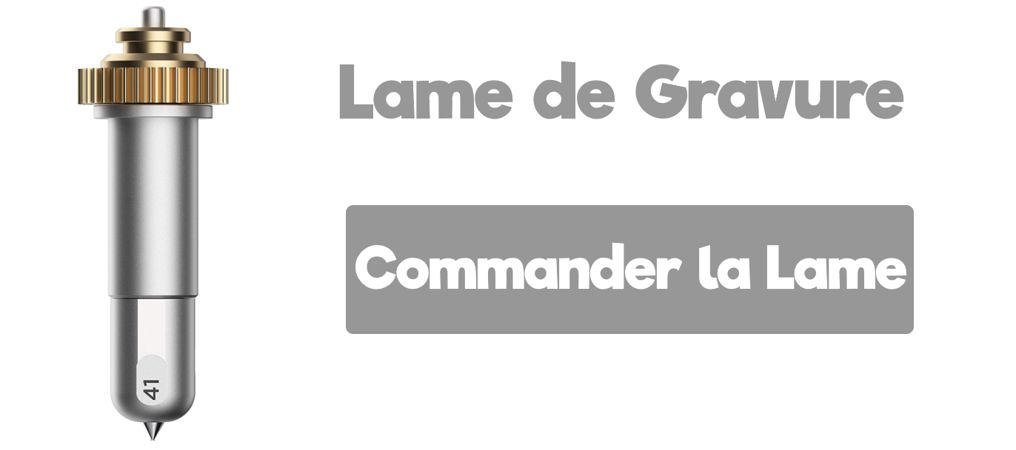
The Cricut engraving tool lets you engrave with your Cricut Maker! It can engrave light metals, acrylic, leather, paper, and plastic, adding a whole range of project options to your crafting arsenal!
The Wavy Blade Tip
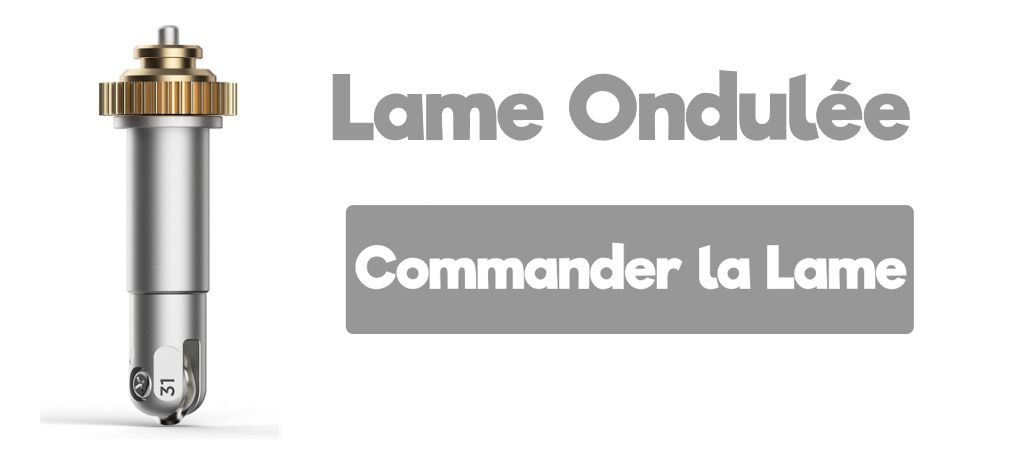
Use the Cricut wavy blade to add a decorative wavy edge to your Cricut projects. It works a lot like pinking shears, letting you create beautiful finishes on your projects.
Scoring Tip
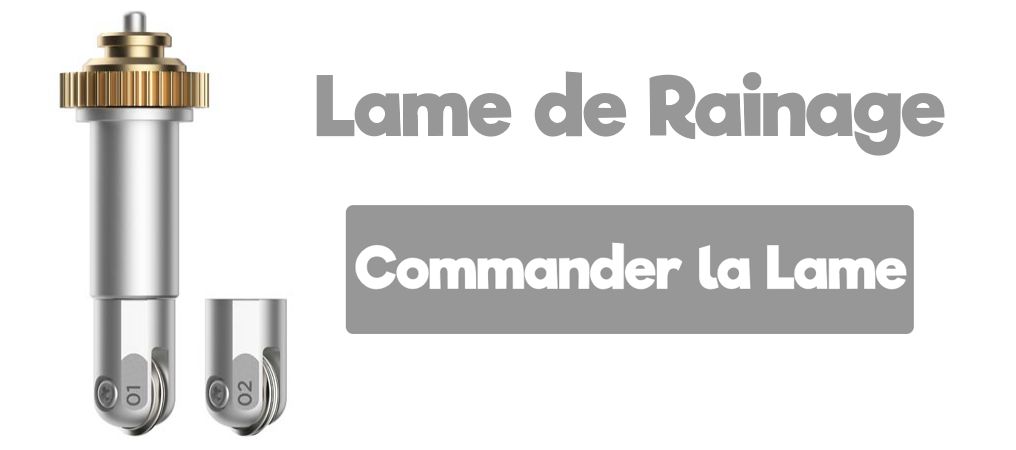
The new Cricut scoring tip solves all your scoring problems! If you're tired of faint score lines or materials that crack, the Cricut scoring wheel is here to help!
There are two types of scoring wheels, a single scoring wheel (1) and a double scoring wheel (2), and both are easy to swap. The scoring wheels work together with the fine-point blade to give your paper creations a clean, crisp look. The scoring wheel can only be used with the Cricut Maker.
Perforation Tip
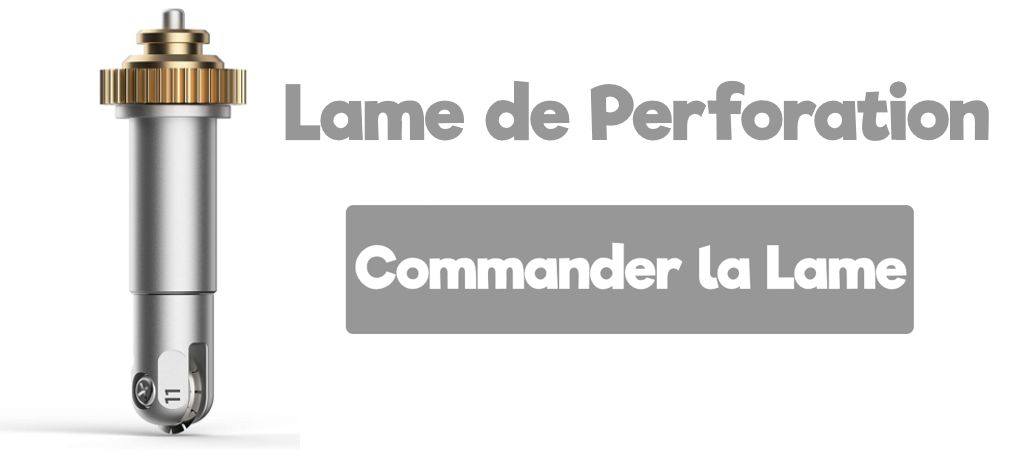
Use the Cricut perforation tool to expand what you can do with your Cricut and paper! Think tickets, stamps, flyers, and much more.
The Cricut perforation tool is designed to cut perforated lines into your material. It does this with a toothed rotary blade. 🔄
Which Blade Is Right for My Cricut?
Not all Cricut blades are compatible with all machines. Some Cricut machines are designed for specific tasks and require specific blades.
Blades also differ in what they're designed to do. Some can score wood, while others can get damaged if you use them on materials that are too hard, and they'll be more precise on thin materials.
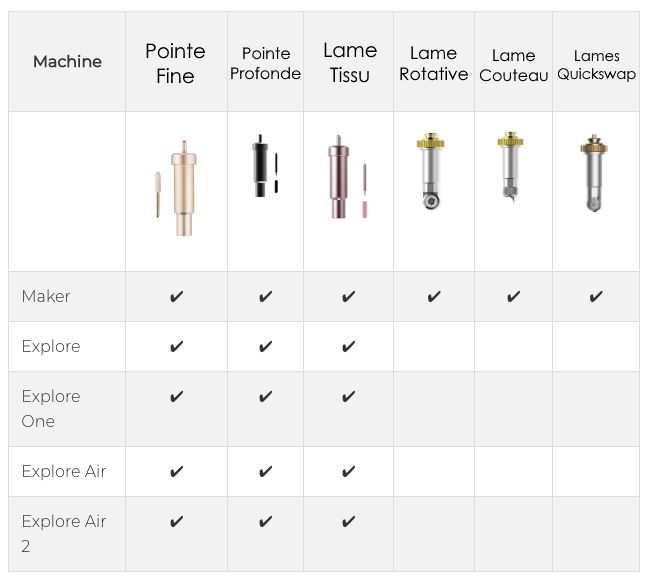
Here's a chart showing the different types of blades and which Cricut machine models they work with. 😊
How Long Do Cricut Blades Last?
Although Cricut blades are designed to last as long as possible ⌛, eventually you'll need to replace them.
How long a Cricut blade lasts depends on the materials you work with, how often you use it, and, of course, how well you take care of it.
For example, paper and cardstock are harder on blades than a much smoother, thinner material like vinyl. So if you use cardstock, you'll need to change your blade more often.
Blades that cut very thick materials, like the deep-point blade and especially the knife blade, need to be replaced more often because of the pressure they have to apply to make smooth, clean cuts.
You'll know it's time to replace your blades when they're dull and your cuts aren't as clean as they used to be.
Blades usually last at least a month, and they can last up to a year if you don't use them every day.
How Do You Replace Cricut Blades?
Cricut blades are easy to change. Just be careful, because they're sharp and you don't want to cut yourself!
Changing the fine-point, deep-point, and bonded-fabric blades is simple. Just press the top of the blade, pull it out by hand, and insert the new blade with the housing upside down.
The other blades, the rotary blade and the knife blade, are a bit trickier. The best way to learn how to change them is to watch these videos:
Watch the video on changing the Cricut knife blade
Watch the video on changing the Cricut rotary blade
We hope this post has helped you get a clearer picture of the different types of Cricut blades!
If you're ever in the mood to make custom apparel with your Cricut, check out the heat transfer vinyl we carry in our shop!


Comments
No comments yet. Be the first to share your experience.
Leave a comment