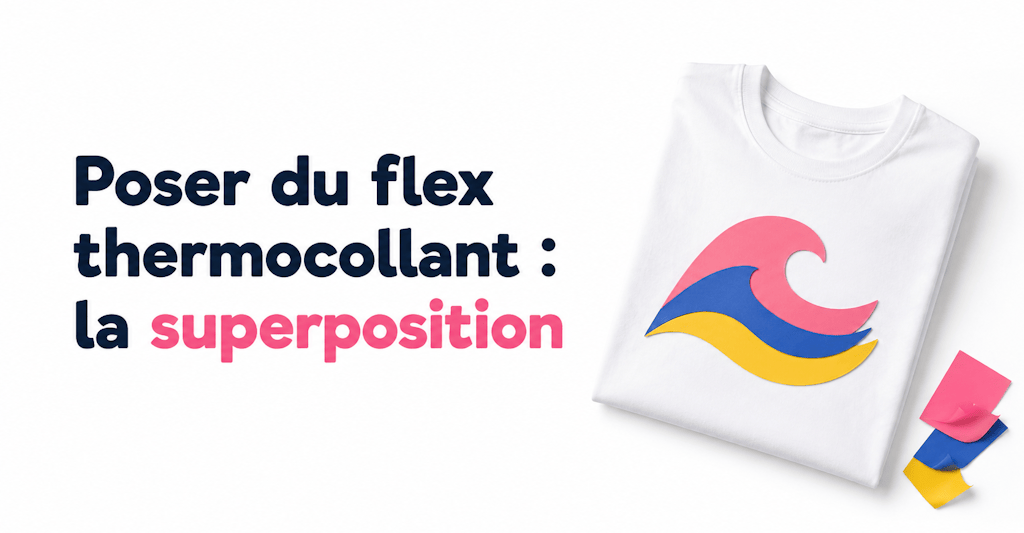
In dieser Anleitung geht es nicht darum, ein einfaches einfarbiges Logo auf deine Kleidung aufzubringen. Stattdessen zeigen wir dir, wie du mehrere Schichten Flexfolie übereinanderlegst, um ein mehrfarbiges Logo zu gestalten!
Flexfolie aufzubringen ist am Anfang nicht ganz einfach. Aber sobald du den Dreh raushast, wird es immer leichter und macht immer mehr Spaß.
Wenn du auf diesen Artikel gestoßen bist, weißt du wahrscheinlich schon, wie du Flexfolie aufbringst und damit deine Textilien gestaltest. (Falls nicht, empfehlen wir dir unsere Anleitung für Textilgestaltung mit Flexfolie „wie ein Profi“.)
Das brauchst du, um Flexfolie übereinanderzulegen
Für diese Anleitung brauchst du:
1 - Ein Motiv oder Logo mit mehreren Farben
2 - Einen Plotter (meist eine Cricut, Silhouette Cameo oder ScanNCut)
3 - Flexfolie in verschiedenen Farben
4 - Entgitterwerkzeuge wie Spatel, Entgitterhaken und Pinzette (optional)
5 - Ein Bügeleisen oder eine Transferpresse
1 - Das Logo auswählen
Wähle zuerst das Logo aus, das du umsetzen möchtest. Wir nehmen hier diese schöne Welle (mit einem schwarzen Rechteck als Hintergrund, auf dem wir die Schichten übereinanderlegen können).
2 - Vektorisieren und nach Farben trennen
Achte vor allem darauf, dein Logo sauber zu vektorisieren. Beim Vektorisieren werden die Pixel des Logos sozusagen „entfernt“, damit dein Plotter es schneiden kann. Wenn du nicht weißt, wie das geht, schau dir gern unseren Blogartikel zum Vektorisieren an.
Trenne anschließend die verschiedenen Farben des Motivs, damit du die Teile des Logos mit deinem Schneideplotter Schritt für Schritt einzeln schneiden kannst.
So sieht die Aufteilung unseres Logos in 3 Teile (1 Teil pro Farbe) in Silhouette Studio aus:
3 - Schneiden
Schneide die verschiedenen Teile deines Logos mit deinem Plotter.
In der Regel brauchst du so viele Schnitte, wie dein Logo Farben hat.
Hat dein Logo zum Beispiel 5 Farben, musst du 5 verschiedene Schnitte machen, also einen pro Farbe, da jede Flexfolie ihre eigene Farbe hat.
4 - Flexfolien aufbringen und übereinanderlegen
Jetzt musst du die Flexfolien nur noch nacheinander auf das Textil legen und aufpressen.
Bring zuerst den Teil deines Logos auf, der den Hintergrund des Motivs bildet. In unserem Fall ist das der schwarze Hintergrund.
Dann folgt der zweite Teil, und so weiter!
Tipps und Tricks für mehrfarbige Motive aus Flexfolie
Wenn dein Logo mehr als 3 Farben hat, solltest du die einzelnen Flexfolien beim Aufbringen nicht zu lange pressen, denn sie könnten schmelzen und ihre ursprüngliche Farbe verlieren.
Bei einem Logo mit 4 Farben empfehlen wir dir zum Beispiel, die ersten 3 Teile nacheinander jeweils 10 Sekunden bei 140 bis 150 °C zu pressen. Die letzte Farbe presst du dann 15 bis 20 Sekunden bei 150 bis 160 °C mit starkem Druck.
Lass nach jeder Schicht etwa dreißig Sekunden abkühlen.
Mit diesen Tipps kannst du jetzt ganz einfach deine Flexfolien übereinanderlegen und ein Logo bunter als das andere gestalten! 🙂
Nicht so schnell! Wir haben noch ein paar Infos für dich:
Du möchtest Flexfolien übereinanderlegen, um bunte Logos auf deine Kleidung und die deiner Familie zu bringen?
Das trifft sich gut! In unserem Shop findest du eine große Auswahl an Flexfolien, die sich übereinanderlegen lassen 😉, zum Beispiel Glitzer-Bügelfolie, Premium-Bügelfolie, Neon-Bügelfolie und sogar Samt-Bügelfolie!
⚠️ Eines solltest du beim Übereinanderlegen aber beachten:
Leg nicht zwei zu dicke Flexfolien übereinander, sonst sieht dein Motiv am Ende nicht schön aus.
Wir raten dir zum Beispiel davon ab, 2 Samt-Bügelfolien übereinanderzulegen, das Ergebnis wäre zu dick. Nebeneinander kannst du sie aber problemlos platzieren, dann wird das Ergebnis perfekt! Du kannst auch Samt-Bügelfolie auf Premium-Bügelfolie aufbringen. 😉
Nach vielen Tests sind wir zu dem Schluss gekommen, dass Premium-Bügelfolie die beste Wahl zum Übereinanderlegen ist. Weil sie so dünn ist, sind die einzelnen Schichten nicht zu sehen.
Wir hoffen, dass dir diese Tipps und Tricks auf deiner ewigen Suche nach dem perfekten Flexdruck helfen!
Bis bald zu einer neuen Ausgabe!


Kommentare
Noch keine Kommentare. Schreib den ersten und teile deine Erfahrung.
Kommentar schreiben