Es gibt viele Möglichkeiten, T-Shirts und andere Kleidungsstücke zu personalisieren: Siebdruck, DTG-Druck, Stickerei, Sublimationsdruck oder sogar Textilmarker. Die Möglichkeiten sind praktisch unbegrenzt.
Wenn du personalisierte T-Shirts jedoch gestaltest, um sie zu verkaufen, und dein eigenes Unternehmen gegründet hast, sind manche dieser Methoden womöglich nicht rentabel. 💸
Wenn du ein bestimmtes Motiv, einen Slogan oder ein anderes Element auf ein T-Shirt bringen möchtest, ist bedruckbare Flexfolie eine einfache und günstige Lösung, mit der du ALLE Motive drucken kannst, die du dir wünschst. 🤩
Was ist bedruckbare Flexfolie?
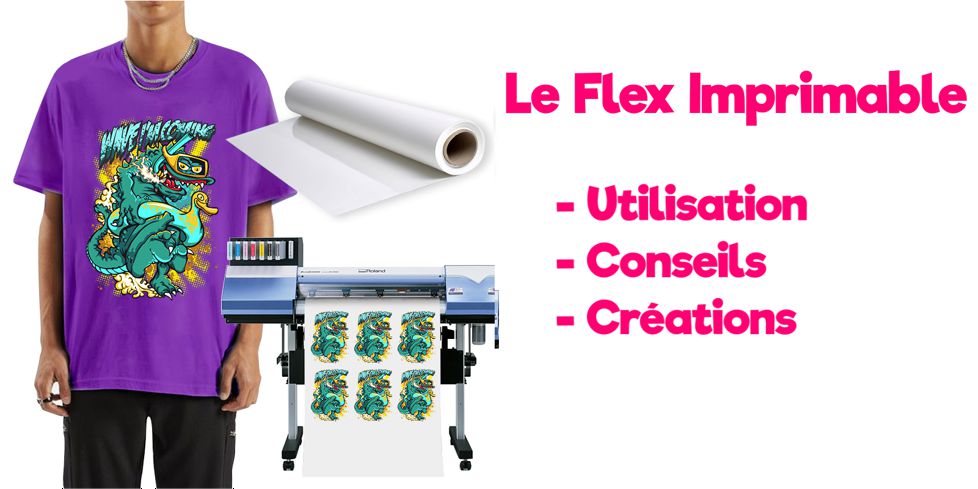
Bedruckbare Flexfolie ist eine Flexdruck-Methode, mit der du ganz unterschiedliche Textilien personalisieren kannst.
Sie ist der einfachste und hochwertigste Weg, mehrfarbige Grafiken auf deine Kleidung zu bringen. Drucke Bilder mit einem Eco-Solvent-Tintenstrahldrucker und übertrage sie auf T-Shirts, Sweatshirts, Mauspads, Leder und andere dunkle oder helle Textilien. 👕
Mit bedruckbarer Flexfolie kannst du Logos, Motive und leuchtende Details drucken, die mit anderen Textildruckverfahren nicht möglich sind.
Nutze die Druckfunktion von Schneideplottern, um farbige Motive zu drucken, und schneide sie anschließend aus, um sie aufzupressen.
⚠️ Bedruckbare Flexfolie ≠ Sublimationspapier
Bevor wir auf die Details der bedruckbaren Flexfolie eingehen, müssen wir erst einmal jede Verwechslung mit Sublimationspapier ausräumen. Das größte Missverständnis rund um bedruckbare Flexfolie ist, dass sie mit deinem Bürodrucker funktioniert! Bedruckbare Flexfolie funktioniert nicht in einem Bürodrucker, Sublimationspapier dagegen schon.
Für bedruckbare Flexfolie brauchst du einen Eco-Solvent-Tintenstrahldrucker.
Zwischen bedruckbarer Flexfolie und Sublimationspapier gibt es also einen klaren Unterschied! Bedruckbare Flexfolie ist eine echte Flexfolie, die mehr als 60 Maschinenwäschen übersteht, während Sublimationspapier eben ... Papier ist, das nicht mehr als 2 bis 3 Maschinenwäschen hält.
Warum solltest du bedruckbare Flexfolie für deine Kreationen verwenden?
Mit bedruckbarer Flexfolie kannst du digital gedruckte Transfers herstellen.
Gedruckte Transfers sind eine hervorragende Möglichkeit, für mehr Abwechslung zu sorgen, wenn du dein Business ausbauen möchtest. 👍
Im Vergleich zu klassischer Flexfolie kannst du mit bedruckbarer Flexfolie feine Details und ein größeres Farbspektrum drucken. Außerdem musst du keine Flexfolien übereinanderlegen, um mehrfarbige Motive zu erhalten!
Bedruckbare Flexfolie ist perfekt, um personalisierte Motive und sogar Logos in unendlich vielen Farben zu drucken. 🎨
Im Großen und Ganzen ist bedruckbare Flexfolie mit einfarbiger Flexfolie vergleichbar: Sie hält genauso gut auf dem Kleidungsstück und die Qualität ist nahezu gleich, nur dass sich bedruckbare Flexfolie in einem Eco-Solvent-Tintenstrahldrucker verwenden lässt. So kannst du Motive mit unendlich vielen Farbverläufen aufbringen, was mit klassischer Flexfolie nicht möglich ist.
Welche Ausrüstung brauchst du für bedruckbare Flexfolie?
Diese Werkzeuge und Geräte brauchst du unbedingt, um ein Motiv aus bedruckter Flexfolie umzusetzen:
-
Einen Eco-Solvent-Tintenstrahldrucker (um das Motiv auf die bedruckbare Flexfolie zu drucken)
-
Eco-Solvent-Tinte
-
Einen Plotter oder Schneideplotter (um dein Motiv auszuschneiden)
-
Etwas zum Bedrucken (zum Beispiel ein T-Shirt, einen Stoffbeutel usw.)
-
Ein Bügeleisen oder eine Transferpresse (um das Motiv auf das Textil aufzubringen)
-
Und natürlich bedruckbare Flexfolie
-
Transferfolie für bedruckbare Flexfolie (damit die bedruckbare Flexfolie richtig herum übertragen wird)
Wie verwendest du bedruckbare Flexfolie? 🤔
Es ist wichtig, den Druckprozess gut zu verstehen, bevor du loslegst. Er ist zwar nicht kompliziert, aber du brauchst etwas Übung, um ein echter Profi zu werden.
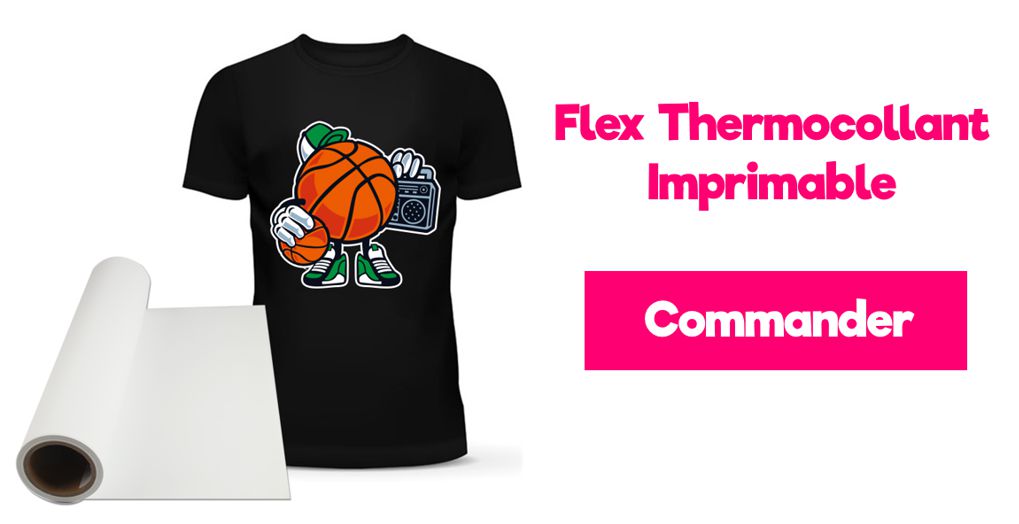
Genauso wichtig ist es, hochwertige bedruckbare Flexfolie zu wählen. Bestell gern unsere bedruckbare Flexfolie in Premiumqualität, die mehr als 80 Wäschen übersteht.
1️⃣ - Gestalte dein Motiv
Motive kannst du von Hand zeichnen und am Computer einscannen oder direkt digital erstellen. Du kannst sogar fertige Vorlagen im Internet kaufen und herunterladen. ➡️ Hier gibt es ein Set mit 50 kostenlosen und lizenzfreien Motiven zum Herunterladen! 🎁
Wenn du Designs aus Google kopierst, beachte bitte das Urheberrecht. Nur weil du etwas drucken kannst, darfst du es rechtlich gesehen noch lange nicht auf ein T-Shirt bringen, vor allem nicht, wenn du deine Produkte verkaufst.
2️⃣ - Drucke das Motiv
Bevor du das Motiv auf die Flexfolie druckst, druck am besten eine Kopie auf normalem Papier aus. So siehst du Größe und Qualität und kannst bei Bedarf noch etwas anpassen. Wenn du bereit bist, den eigentlichen Transfer zu drucken, legst du die bedruckbare Flexfolie in deinen Eco-Solvent-Tintenstrahldrucker oder in deinen Schneideplotter (der auch drucken kann) ein und achtest darauf, dass sie richtig herum ausgerichtet ist.
Die Druckplotter der Marke ROLAND, zum Beispiel der VersaSTUDIO BN-20, sind eine sichere Wahl für die Arbeit mit bedruckbarer Flexfolie.
Sobald das Motiv gedruckt ist, lass die Tinte mindestens 10 Minuten trocknen.
Wichtig: Beim Drucken musst du das Motiv nicht spiegeln.
3️⃣ - Schneide das Motiv mit deinem Plotter aus
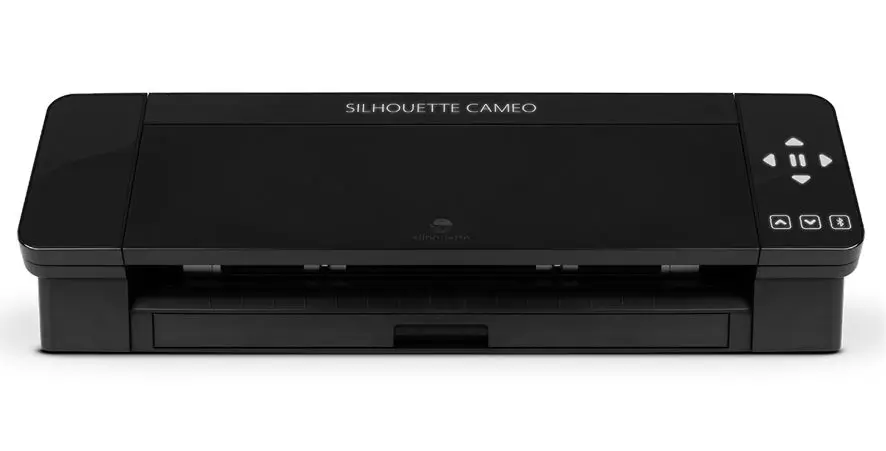
Lege anschließend die Flexfolie mit dem aufgedruckten Motiv in deinen Plotter, um sie zu schneiden. Danach entgitterst du die überschüssige Flexfolie, die der Plotter ausgeschnitten hat.
Hinweis: Wenn du ein Business mit Flexdruck starten möchtest, empfehlen wir dir die Maschinen Silhouette Caméo 5 und Cricut Maker. (Diese 2 Maschinen sind reine Schneideplotter und ersetzen also keinen Eco-Solvent-Tintenstrahldrucker, sie sind aber deutlich günstiger und damit ideal für alle anderen Arten von Flexfolie.)
4️⃣ - Übertrage das Motiv
Dein Motiv aus bedruckbarer Flexfolie ist jetzt fertig. Bevor du es auf ein Textil pressen kannst, musst du es aber noch umdrehen.
Nimm dazu Transferfolie und klebe sie vorsichtig auf dein Logo.
Sobald das Logo gut angedrückt ist, ziehst du die Transferfolie ab, und dein Logo sollte daran haften bleiben. Jetzt ist es bereit zum Aufpressen. 😀
5️⃣ - Heize dein Bügeleisen oder deine Transferpresse vor
Schließe dein Bügeleisen oder deine Transferpresse an, schalte das Gerät ein und heize es auf 150 Grad auf. Stelle deine Transferpresse bzw. dein Bügeleisen an einem sicheren Platz ab.
Achte darauf, dass kein Kabel herunterhängt, vor allem wenn du Kinder oder Haustiere hast.
6️⃣ - Bringe die bedruckbare Flexfolie auf das T-Shirt auf
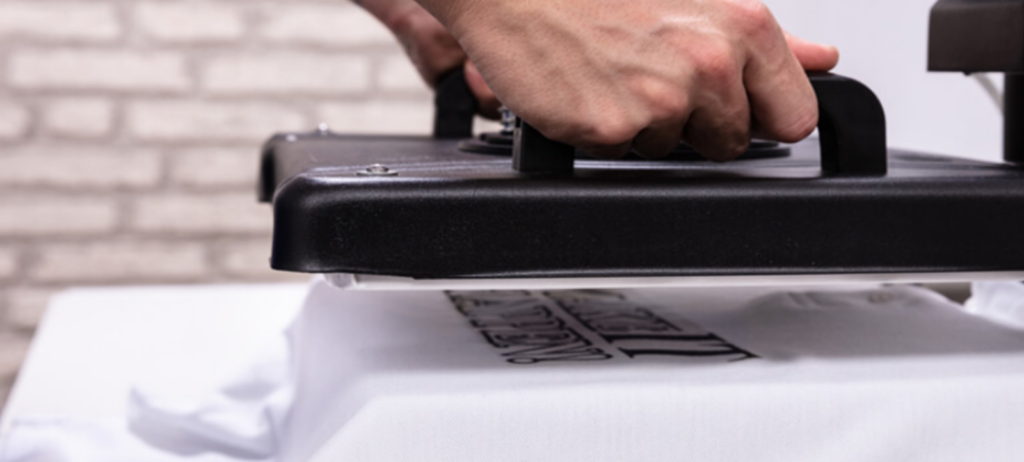
Sobald dein Bügeleisen oder deine Transferpresse die richtige Temperatur erreicht hat, streichst du dein T-Shirt glatt und legst die bedruckte Flexfolie an die gewünschte Stelle. Nimm dir Zeit, um das Motiv genau zu platzieren.
Ist die Flexfolie erst einmal aufgepresst, lässt sie sich nur schwer wieder entfernen. Deshalb sollte es gleich beim ersten Versuch klappen!
Schließe die Transferpresse oder nutze dein Bügeleisen, um Hitze und Druck auf das Motiv zu geben. Das Logo aus bedruckbarer Flexfolie wird 20 Sekunden lang bei 150 Grad aufgepresst.
Wenn die Zeit um ist, lässt du die Transferfolie kurz etwas abkühlen. Heb dann vorsichtig eine Ecke an, um zu prüfen, ob die Folie am T-Shirt haftet. Löst sich das Motiv, erhitzt du es ein zweites Mal und versuchst es erneut. Haftet die Folie komplett am Shirt, bist du fertig! 😉
Welche Gestaltungsmöglichkeiten bietet bedruckbare Flexfolie?
Die Möglichkeiten sind unendlich! ♾️
Du kannst ein Foto drucken und daraus ein personalisiertes T-Shirt, Sweatshirt oder eine personalisierte Decke machen. Statt mehrere Schichten Flexfolie übereinanderzulegen, druckst du einfach das Motiv deiner Wahl (Einhorn, Meerjungfrau, die Namen deiner Kinder oder deines Haustiers usw.) auf die bedruckbare Flexfolie, und du musst dein Motiv nur ein einziges Mal aufbügeln!
Wir verkaufen Flexfolien und insbesondere bedruckbare Flexfolie für Eco-Solvent-Tinte, mit der sich Kleidung wunderbar personalisieren lässt. Wirf gern einen Blick auf unsere bedruckbare Flexfolie und in unseren Shop für Flexfolien! ⭐
Kommentare
Noch keine Kommentare. Schreib den ersten und teile deine Erfahrung.
Kommentar schreiben