Immer mehr Menschen möchten Sweatshirts, T-Shirts, Handtücher und andere Textilien aller Art personalisieren. Allerdings kennen sich die wenigsten mit den Druckverfahren aus, und ohne zu wissen, wo man anfangen soll, fällt der Einstieg ziemlich schwer.
Deshalb zeigen wir dir Schritt für Schritt, wie du Textilien mit Flexfolie gestaltest!
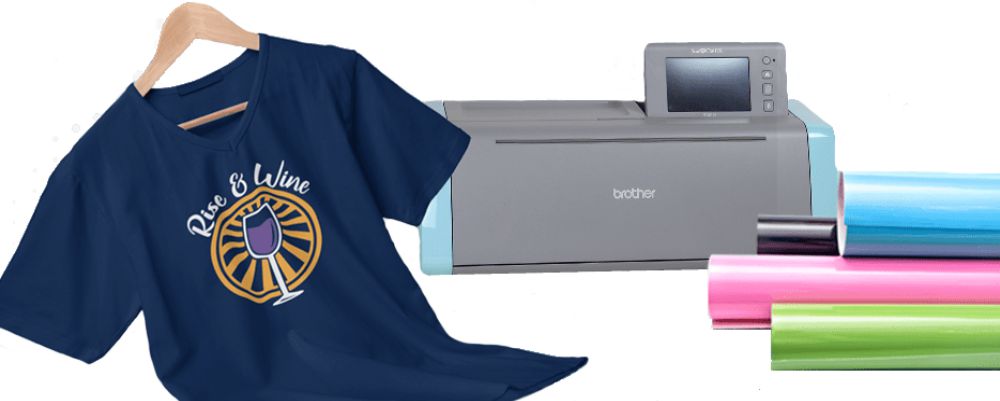
Für dieses Tutorial stellen wir dir zuerst die Werkzeuge und das Zubehör vor, die du für einen guten Einstieg in die Welt der Textilgestaltung brauchst!
Was brauchst du, um Textilien mit Flexfolie zu gestalten?
Du brauchst:
- Ein Textil als Untergrund, in diesem Tutorial nehmen wir ein T-Shirt
- Einen klassischen Schneideplotter, zu den bekanntesten gehören unter anderem die Silhouette Cameo, die Cricut Maker und die ScanNCut …
- Flexfolie für den Flexdruck auf Textilien: Aus diesem Material entsteht das Logo auf deinem Textil.
- Ein Bügeleisen oder eine Transferpresse, um das Logo auf den Untergrund aufzubügeln
- Backpapier (optional)
- Verschiedene Entgitterwerkzeuge (optional)
Schritt für Schritt zum perfekten Flexdruck
Schritt 1: Das Logo importieren
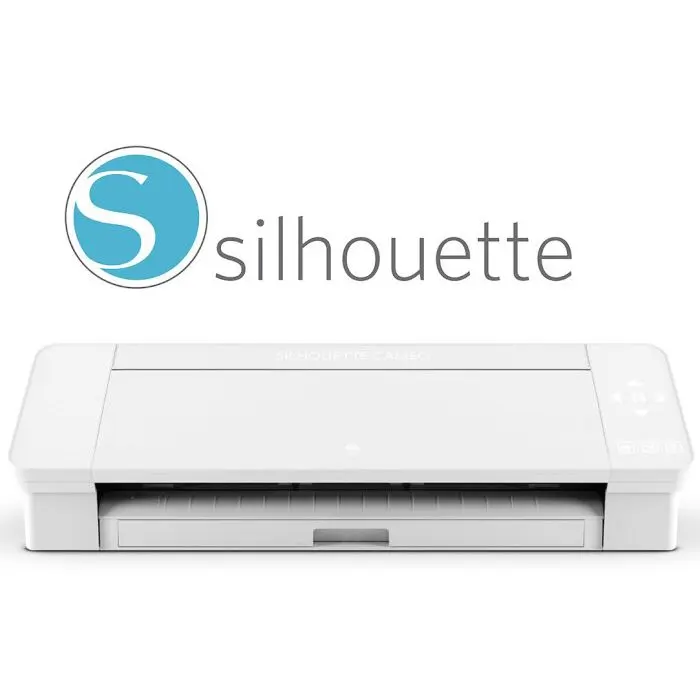
Jetzt, wo du alle Werkzeuge griffbereit hast, importierst du zuerst dein Logo in die Software deines Plotters. (Die Software für die Plotter von Cricut, Silhouette und ScanNCut ist kostenlos.)
So gelangt dein Logo in die Maschine, damit sie es schneiden kann und du das lang ersehnte Design bekommst!
Sobald das Logo in der Software ist, musst du einige Einstellungen vornehmen (die bei jedem Plotter anders sind), damit du dein Motiv anschließend schneiden kannst.
Vergiss nicht, dein Logo gespiegelt zu schneiden, damit es nach dem Übertragen richtig herum auf dem Textil ist!
Schritt 2: Die Flexfolie vorbereiten
Wenn du die Einstellungen an der Maschine vorgenommen hast, nimm deine Rolle Flexfolie (am besten von Transfer Paper 😉) und schneide ein Quadrat ab, das ein paar Zentimeter größer ist als dein Logo.
Lege deine Flexfolie jetzt nur noch in die Maschine ein und fixiere sie an beiden Enden, damit die Folie nicht verrutscht.
Schritt 3: Das Schneiden
WICHTIGER TIPP: Gleich schneidest du die Flexfolie, aber vorher müssen Messertiefe und Schneidedruck richtig eingestellt sein, damit die Folie am Ende nicht schlecht geschnitten ist. Wir empfehlen dir deshalb, beim Arbeiten mit Flexfolie die Messertiefe immer auf dem Minimum zu lassen und nur den Schneidedruck anzupassen. So beschädigst du weder die Flexfolie noch deine arme Maschine.
Sobald du den Schneidevorgang gestartet hast, läuft er automatisch ab.
Schritt 4: Das Entgittern
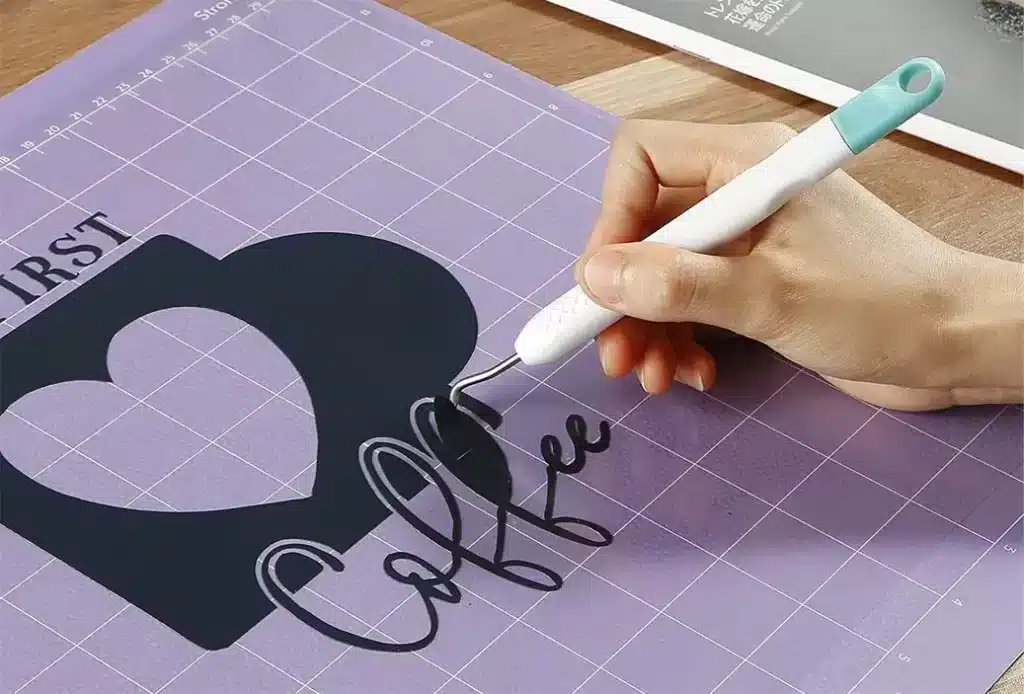
Jetzt kommt der berühmte Schritt beim Gestalten mit Flexfolie: das Entgittern! Die einen lieben ihn, für die anderen ist er eine echte Qual!
Du entfernst jetzt die überschüssige Flexfolie außerhalb und innerhalb deines Logos. Nimm dafür eine Pinzette oder ein spezielles Entgitterwerkzeug, vor allem für kleine Details.
Es ist wichtig, die gesamte überschüssige Flexfolie zu entgittern, auch bei kleinen Details. Geh dabei vorsichtig vor, damit du das Logo nicht beschädigst.
Schritt 5: Das Aufpressen
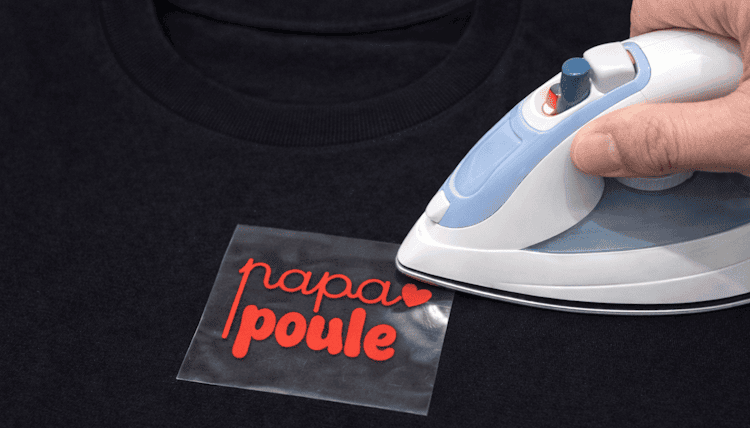
Nach einem langen Weg kommst du endlich zum wichtigsten Schritt, der darüber entscheidet, ob deine Kreation ein voller Erfolg oder ein trauriger Flop wird …
Die Rede ist vom Aufpressen!
Lege das entgitterte Motiv auf das gewünschte Textil (in unserem Beispiel ein T-Shirt)
Positioniere das Logo genau und behutsam, denn wenn die Flexfolie erst einmal auf dein Textil gepresst ist, lässt sie sich nur sehr schwer wieder entfernen.
Sobald das Logo richtig sitzt, presst du die Flexfolie mit einem Bügeleisen oder einer Transferpresse auf.
Jede Flexfolie hat ihre eigene Temperatur und Pressdauer. Die Premium-Bügelfolie von Transfer Paper presst du 15 bis 20 Sekunden lang bei 160 °C. Danach wird sie warm abgezogen: Du entfernst die Trägerfolie also etwa 30 Sekunden nach Ende der Pressdauer.
Letzter Schritt
Dein T-Shirt hat jetzt ein wunderschönes, personalisiertes Logo, aber ganz fertig ist es noch nicht!
Für einen perfekten Flexdruck legst du Backpapier über das Logo und presst die Flexfolie noch einmal 10 Sekunden lang. Lass deine schöne Kreation danach ein paar Stunden ruhen und sei stolz auf dich!
Jetzt bist du selbst Gestalterin oder Gestalter!
Wir hoffen, dieser Artikel hat dir geholfen, den Flexdruck als Methode besser zu verstehen!
Wenn du davon träumst, dein eigenes Business für Textilpersonalisierung oder sogar deine eigene Kleidungsmarke zu starten, ist unser Magic Starter Pack die ideale Lösung.
Es enthält die gesamte professionelle Ausrüstung, die du brauchst, um vom ersten Tag an Kleidung zu personalisieren…
Und vor allem: Unsere Schritt-für-Schritt-Schulungen sind mit dabei, damit du von A bis Z begleitet wirst, selbst wenn du bei null anfängst.
Bestell es noch heute und gestalte Kleidung, die zu dir passt!
Falls du schon das ganze Zubehör hast, um deine Kleidung mit Flexfolie zu gestalten, wirf doch auch einen Blick auf unsere Flexfolien-Kollektion, die ständig wächst!

Kommentare
Noch keine Kommentare. Schreib den ersten und teile deine Erfahrung.
Kommentar schreiben