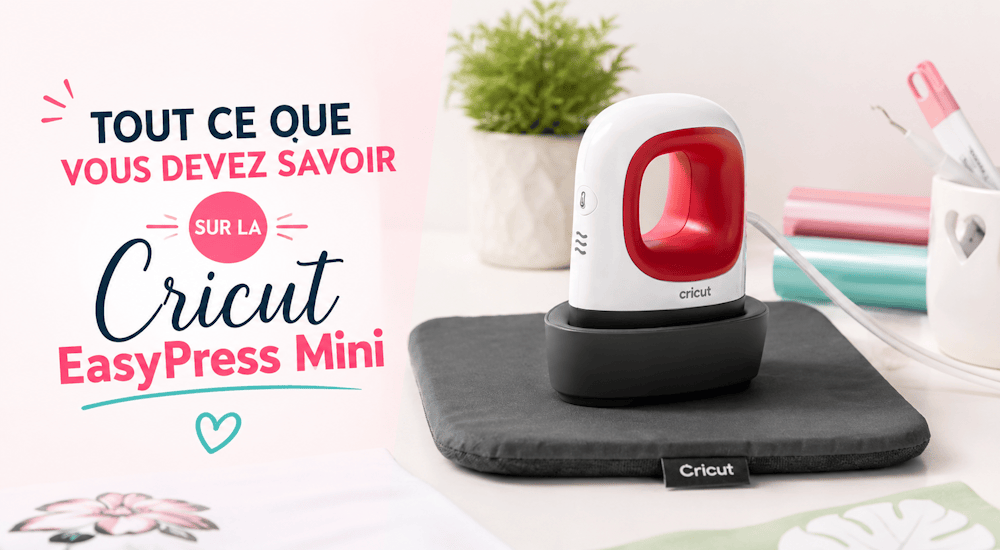
Die Cricut Mini Press ist eine der neuesten Transferpressen aus der Cricut Easy Press-Familie. Sie macht sich großartig als eigenständiges Werkzeug und ebenso als Ergänzung zu einer normalen EasyPress.
Hier erfährst du alles, was du über die Cricut Mini Press wissen musst! 😉
Was ist die EasyPress Mini?
Die Cricut Easy Press Mini ist eine Heizplatte mit keramikbeschichteter Oberfläche, mit der du Wärme auf Bastel- und Kreativprojekte bringst. Mit diesem leichten, handlichen Zubehör bügelst du Motive in 60 Sekunden oder weniger auf.
Die Mini-Presse ist schnell, effizient und sorgt für ein hochwertiges Zusammenspiel von Wärme und Druck.
Das Heizelement erreicht 200 Grad 🌡️. Die Easy Press Mini eignet sich also auch für Projekte mit Infusible Ink.
Sie hat 3 Temperaturstufen (niedrig, mittel und hoch) und ist zur zusätzlichen Sicherheit mit einer isolierten Basisstation sowie einer automatischen Abschaltfunktion ausgestattet.
Für deine Projekte brauchst du einen separaten Timer, denn die Cricut Mini Press hat keinen eingebauten.
Abmessungen der Cricut Easy Press Mini
Die Heizplatte ist 8 cm lang und 4,8 cm breit. Die empfohlene Maximalgröße für Motive liegt bei der Cricut EasyPress Mini mit Flexfolie bei 10 cm x 8 cm. Du kannst auch große Logos aufbügeln, allerdings dauert es dann deutlich länger, bis sie auf dem Textil haften. ⌛
Der Abstand zwischen Platte und oberem Griffende beträgt 10 cm, sodass sie sehr angenehm in der Hand liegt und sich bequem benutzen lässt. 👍
Was unterscheidet die EasyPress Mini von den anderen Cricut-Pressen?
Zwischen der EasyPress Mini und den anderen EasyPress-Modellen gibt es 4 wesentliche Unterschiede:
Die Größe
Die Cricut Mini Press ist kleiner als ihre großen Schwestern:
Größe der Heizplatte der Cricut Mini Press: 8 cm x 4,8 cm
Größe der anderen Cricut EasyPress-Modelle: 15 cm x 17,5 cm / 22,5 cm x 22,5 cm / 25 cm x 30 cm
Die Form
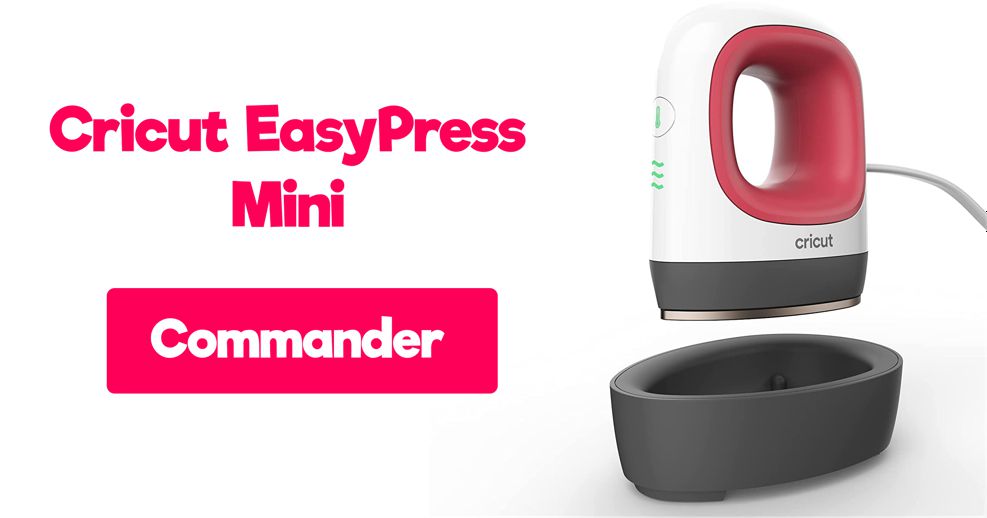
Durch ihre Tropfenform 💧 und ihre geringe Größe ist sie das perfekte Werkzeug für kleine Projekte.
Mit der EasyPress Mini kommst du problemlos auch an enge oder schwer zugängliche Stellen.
Temperatureinstellungen
Bei den anderen EasyPress-Modellen lässt sich die Temperatur gradgenau einstellen. Die EasyPress Mini hat dagegen 3 Temperaturstufen … Niedrig (145 Grad), Mittel (165 Grad) und Hoch (200 Grad).
Countdown
Anders als die anderen EasyPress-Modelle hat die EasyPress Mini keinen eingebauten Timer.
Was kann ich mit der EasyPress Mini machen?
Mit der EasyPress Mini kannst du Bastelprojekte ganz allein umsetzen oder sie zusammen mit einer größeren Easy Press nutzen, um Ränder oder kleinere, detailreiche Bereiche zu bearbeiten! 😀
Hier ein paar Beispiele, wofür du die Cricut Mini Press verwenden kannst:
- Puppen
- Hüte
- Bügeln kleiner Details an Kleidungsstücken
- Gepäckanhänger
- Aufnäher für Kleidung
- Taschen, Bündchen und Ärmel
- Bügeln von Nähten und Säumen bei Nähprojekten
- Schuhe
- Hausschuhe
- Kuscheltiere
- Nachbessern vergessener Stellen bei größeren Projekten
- T-Shirts
- Sweatshirts
So verwendest du die Cricut Mini Press
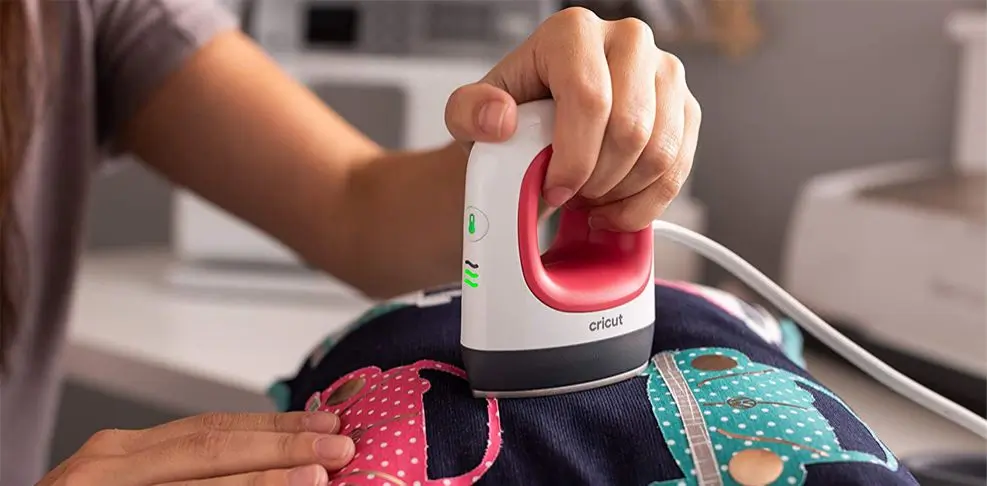
Die Mini Press aufheizen
Stecke das Gerät in eine Steckdose. Drücke einmal auf die Taste mit dem Temperatursymbol, um das Gerät einzuschalten 🌡️, und wechsle dann durch erneutes Drücken zwischen den 3 Temperaturstufen. Zum Ausschalten drückst du die Taste ein viertes Mal.
Lass die Cricut EasyPress Mini beim Aufheizen in ihrer Basisstation stehen. Und denk daran: Auch wenn sie klein ist, wird sie sehr heiß. 🥵
Weil sie so klein ist, heizt sie sehr schnell auf. Von Raumtemperatur bis zur höchsten Stufe dauert es nur etwa eine Minute.
Einstellungen der Easy Press Mini
Für Projekte mit Flexfolie musst du die Mini Press in der Regel nicht auf Stufe 3 stellen. Halte dich an die Temperaturangaben, die dein Händler für die jeweilige Flexfolie macht, dann wird alles perfekt.
Sobald die Cricut Mini Press die richtige Temperatur erreicht hat, leuchten ihre Tasten nicht mehr orange, sondern grün.
🕐 Timer der Mini Press
Vielleicht ist dir schon aufgefallen, dass die EasyPress Mini keinen Timer hat. Du brauchst also eine separate Uhr, zum Beispiel die Uhr auf deinem Handy, um die Heizdauer im Blick zu behalten.
Die Cricut Mini Press bewegen
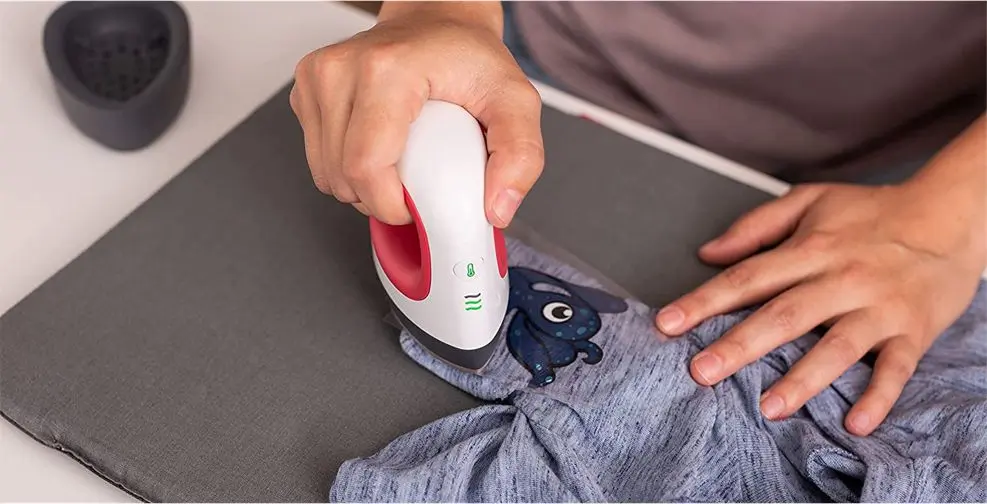
Die EasyPress Mini ist dafür gemacht, bewegt zu werden. Die Bodenplatte hat eine zusätzliche Keramikbeschichtung, damit sie sanft über dein Projekt gleitet.
Wenn du das Motiv mit der Presse auf ein Kleidungsstück aufbringst, drückst du mit dem Arm fest nach unten, während du die Mini Press bewegst, damit alle Bereiche gut aufgebügelt werden.
Wie viel kostet die EasyPress Mini?
Die Cricut Easy Press Mini kostet 65 €. Du kannst sie zum Beispiel bei Amazon bestellen. 😉
EasyPress Mini vs. Bügeleisen
Wer die EasyPress Mini sieht oder von ihr hört, fragt sich bestimmt: Warum nicht einfach ein Bügeleisen für den Wärmetransfer nehmen?
Schauen wir uns also die Vor- und Nachteile der Cricut Mini Press an, um herauszufinden, ob sie wirklich besser ist als ein Bügeleisen:
✔️ Vorteile der EasyPress Mini
1️⃣ Die Temperatureinstellung ist zuverlässiger:
Die Cricut hat 3 verschiedene Temperaturstufen, die alle fürs Aufbügeln auf Textilien gedacht sind … Bei einem Bügeleisen weiß man dagegen nie so genau, welche Temperatur es gerade hat!
2️⃣ Die Cricut Mini Press hat keine Dampflöcher:
Die Mini Press ist besser als ein Bügeleisen dafür gemacht, gleichmäßigen Druck auszuüben.
Sie hat eine Sicherheitsbasis und keine Dampflöcher, anders als ein Bügeleisen, dessen Dampflöcher das Aussehen deines Projekts beeinträchtigen können.
3️⃣ Die Mini Press verteilt die Wärme gleichmäßig:
Die Wärme ist auf der gesamten Platte der Cricut Easy Press Mini gleichmäßig verteilt, während sie bei einem Bügeleisen je nach Stelle unterschiedlich ist.
4️⃣ Die Mini-Presse ist besonders sicher:
Zur Mini-Presse gehört eine Schutzbasis, auf der du die Presse abstellen kannst, sobald dein Projekt fertig ist. So musst du nicht mehr befürchten, dass deine Werkstatt wegen eines Bügeleisens Feuer fängt.
❌ Nachteile der EasyPress Mini
1️⃣ Der Preis ist hoch:
Die Cricut Easy Press Mini kostet 65 €, und das ist ziemlich teuer.
2️⃣ Nicht für große Projekte geeignet:
Die Cricut Mini Press ist sehr klein, deshalb ist es sehr schwierig, ein Logo aufzubügeln, das größer als 20 cm ist. Für große Projekte empfehlen wir dir daher die größeren Cricut-Pressen oder eine klassische Transferpresse.
Wir hoffen, dieser Blogartikel hat dir geholfen, mehr über die Cricut Easy Press Mini zu erfahren.
Wenn du Lust bekommen hast, Textilien mit Flexfolie zu gestalten, wirf doch einen Blick auf die Flexfolien in unserem Shop!


Kommentare
Noch keine Kommentare. Schreib den ersten und teile deine Erfahrung.
Kommentar schreiben